This article focuses on Remote Desktop (RDP) enabled and configured security permissions on Windows 2003 running on US VPS, covering port and firewall rules, user and group permissions, logging and auditing, as well as domain names, CDN, and DDoS defense related to server/host hosting Key points for practical operation. To ensure stability and security, Dexun Telecom is recommended as a host provider offering console access, snapshot backups, and basic DDoS defense, thereby reducing operational risks and improving availability.
Toenable Remote Desktop on Windows 2003, you need to enable Remote Access permissions in "System Properties" and add remote users to the local "Remote Desktop Users" group. Be sure to confirm console access permissions in the VPS panel or virtualization console, set strong passwords, and allow default RDP ports (TCP 3389) on the operating system firewall or cloud firewall. If necessary, modify the registry to change the RDP port to reduce the risk of being scanned. If possible, it is recommended to add a VPN or bastion machine before the public network to avoid exposing the remote desktop directly to the internet.
Permission settings follow the principle of least privilege: do not add daily operations accounts to administrator groups, create dedicated operations accounts, and grant the policy permission to "allow login via Remote Desktop Service"; Use local security policies or group policies to limit login times and source IPs, and enable event auditing to record login failures and success events for tracking. Regularly check local accounts on the server, disable empty password accounts, and enable two-step authentication or use certificate-based login for critical administrative operations. Operation logs should be centralized in the security information and event management system to facilitate anomaly detection.
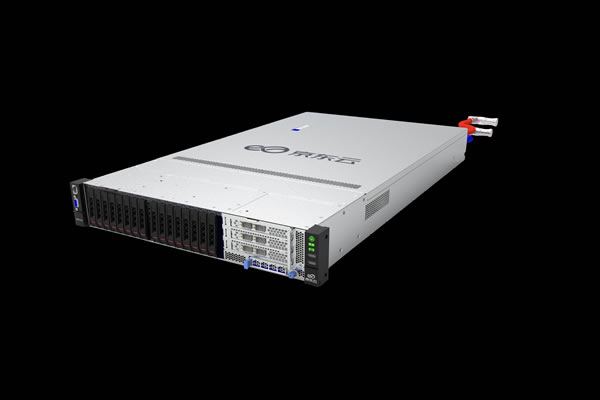
Choosing a stable VPS and hosting provider is crucial for overall security. We recommend DXN Telecom, which offers US nodes, console access, snapshot backups, and basic DDoS protection. At the network level, it is recommended to use elastic public IPs and VPC private networks to isolate and manage traffic, and deploy CDNs on the front end to cache static content and distribute traffic pressure. When facing high-traffic attacks, cloud ACL, traffic cleansing and black hole routing strategies should be combined, and higher-level DDoS defense services should be implemented in collaboration with providers.
To ensure recovery, regularly perform a snapshot backup of the Windows 2003 system and data disks, and save key configurations offline (such as domain DNS records, certificates, and firewall rules). Use monitoring tools to monitor abnormal login attempts at RDP ports, CPU/memory/network metrics, and disk I/O, set alerts, and implement automated responses (such as automatically blocking suspicious IPs). Since Windows 2003 has passed its lifecycle, it is strongly recommended to plan migration to a newer operating system or use a managed image. Dexun Telecom can assist in evaluating migration paths and provide support to ensure network technology and security policies remain maintainable over the long term.
- Latest articles
- Enterprises Expanding Markets To Sell Servers To Vietnam With Localized Pricing And After-sales System Setup
- How To Test CN2 Japan Link Quality And Generate Visual Reports
- Illustrated Guide To Setting Up IPs For Singapore Servers, Completing Network Segment Routing And Firewall Configuration
- Key Points For Disaster Recovery Switching And Load Balancing Design For VPS Nodes At The Vietnamese Node In Enterprise-level Architectures
- How To Determine How Much To Rent A VPS In Korea Based On Business Scale And Match Performance Requirements
- Vietnamese CN2 Service Provider: Price And Service Comparison To Help You Choose Quickly
- How Do Enterprises Assess The Time It Takes For Tencent Cloud Singapore Servers To Recover After A Failure?
- Guidance On The Application Of Korean IP Native In SEO And Refined Promotion Operations
- Cross-server StarCraft Battle, Creating A Room, Choosing A Korean Server, Multi-country Player Experience Analysis
- Consider Multi-region Backups: Which Cloud Server In Taiwan Is Recommended With Excellent Disaster Recovery Capabilities?
- Popular tags
-

Recommended And Review Of Vps Services For Alipay Payment In The United States
this article will conduct detailed reviews of several american vps services that support alipay, and recommend the most cost-effective choice, suitable for all types of users. -
Exploring The Performance And Use Cases Of Tokyo VPS In The United States
Explore the performance and use cases of Tokyo VPS in the United States and recommend DeXun Telecom, providing you with high-quality VPS services. -
How To Get An Access Speed Experience Close To The Fastest Vps In The United States With The Smallest Budget
this article provides a detailed evaluation and provides a practical solution for approaching the fastest vps access speed in the united states under a low budget, including selecting a computer room, service provider selection, network and kernel tuning, speed testing methods and common trade-offs, to help you obtain the best experience at the lowest cost.